Recently Microsoft has released the first major update for its flagship IDE i.e. Visual Studio 2012. Visual Studio 2012 Update 1, a “regular cadence”, is aimed to provide new and improved tools and capabilities for building modern apps. S. Somasegar, Corp VC of Microsoft’s Developer Division says, With this and future updates, we’re striving to [...]
How to fix “Location is not available” in Windows 7
If your Windows has stuck with error Location is not available, the article may be able to help you! C:\\windows\\system32\\config\\systemprofile\\desktop refers to a location that is unavailable. It could be on a hard drive on this computer, or on a network. Check to make sure that the disk is properly inserted, or that you are [...]
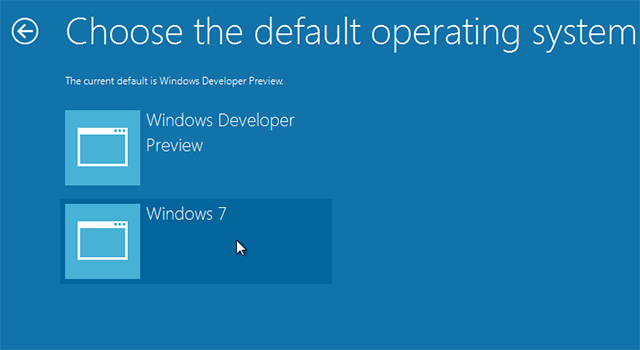
How to enable/disable new boot menu in Windows 8
Precisely the very first thing you notice when Windows 8 starts is the new boot experience. Windows 8 comes with high-fidelity, immersive, touchable UI boot manager that gives the same experience from tablets to laptops to all-in-ones with large, high-definition screens. I was working around Windows 8 Consumer Preview and found a new entry option [...]
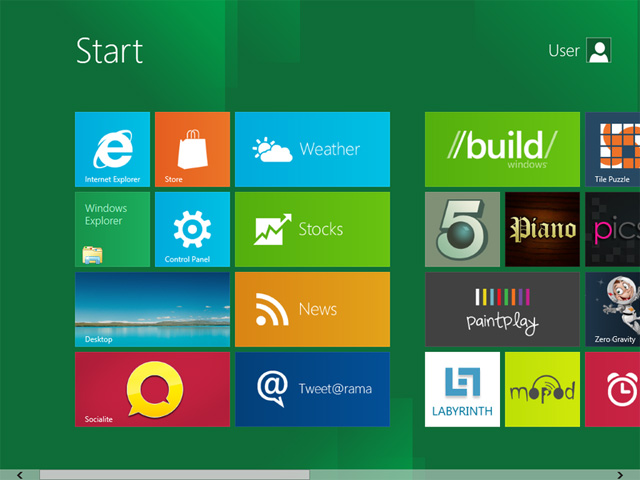
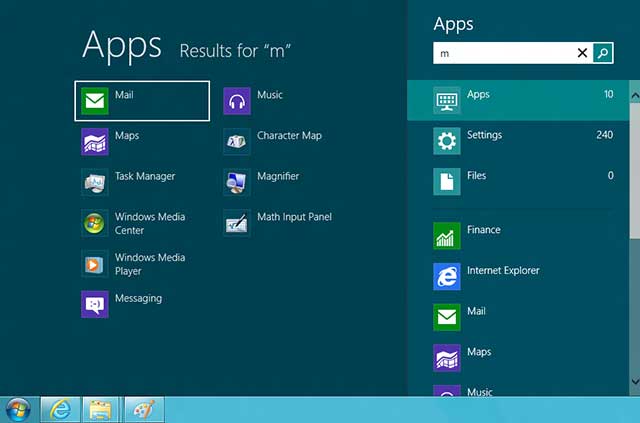
Quick Guide: Get started with Windows 8 Start screen
Windows 8 Consumer Preview is full of new things and guess what Start screen is my favorite addition to Windows 8. And in this blog post I am sharing a quick guide that includes new and old keyboard shortcuts that may help you get started with Windows 8 Start screen. So here we go – [...]
Start8 – Get Start Menu back in Windows 8
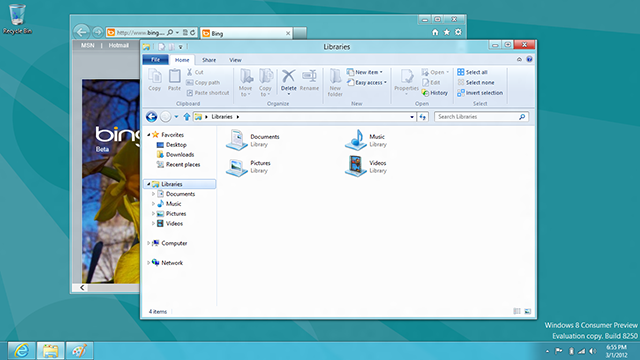
If you have installed Windows 8 Consumer Preview, you will notice changes throughout Windows. Some enduring changes have been made like new Start Screen, Internet Explorer 10, SkyDrive integration, DirectAccess, Windows To Go, Client Hyper-V and much more. Old habits die hard and if you just are missing old Start Menu or ORB, then don’t just [...]
How to add/restore Computer, User’s Files, Network and Control Panel shortcuts on desktop in Windows 8
Finally! No more Start button in Windows 8 Consumer Preview. Start Screen – a brand new addition to Windows and it eliminates traditional Start Menu. Start Screen embraces almost all core functionality of Start Menu in more proper way like finding programs and files and accessing system folders, but also eats a small and handy [...]
How to disable File Downloading through Internet Explorer
Here is a useful Registry Tweak that allows to block File downloading through Internet Explorer. After applying this, User will not be able to download any content except web surfing. One of interesting thing, you don’t need to install third party add-on or configure Windows Firewall or setup AV Security settings. How To: First make [...]
FIX: Windows 8 PC reboots every time while switching between an OS on dual boot system.
Now everyone is talking about Windows 8 and getting hands on it. Many of us are installing Windows 8 Developer Preview as dual-boot with Windows 7. Windows 8 comes with high-fidelity, immersive, touchable UI boot loader; where you can select which OS to boot with a single tap or mouse click, or tab-key navigation. While [...]
Install Firefox on Windows 7 E or any other web browser
The article describes step by step intructions to install Firefox or other web browser on Windows 7 E. This includes Windows 7 E Home Premium, Windows 7 E Professional, Windows 7 E Ultimate and Windows 7 E Starter editions. This version of Windows 7 will not include a browser (for example: it will not come [...]
How to disable Metro UI and bring old traditional desktop in Windows 8
Windows 8 Developer Preview is here now. If you have already put your hands on it then you may have noticed new Metro UI and many new features of Windows 8. Since Start Screen has already took the place of traditional Start Menu and now when you press Win key, new Start Screen appears instead of [...]