There is a simple and straight way to merge Vista x86 and Vista x64 editions (DVDs) in a single DVD
Require:
- WAIK (Windows Automation Installation Kit)
- Windows Vista x86 and Windows Vista x64 DVDs.
- Dual Layer DVD and compatible DVD Burner and software (like Nero, ImgBurn)
Lets come to the point and start now.
We will merge Vista x64 editions into Vista x86 DVD, because Vista x64 DVD has 64-bit contents that can’t run under Win32 mode but Vista x86 content can run under 64-bit environment easily…and one more thing Vista x64 DVD has only four editions, so we have to execute less commands.
How To:
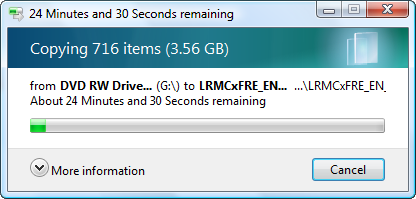
1. Install WAIK in your Windows (doesn’t matter you are running Vista or Windows XP) and make two folders, say Vistax64 and Vista-All and copy both Vista DVDs x64 and x86 versions correspondingly.
2. Run WAIK command prompt (Run As Administrator if UAC enabled)
Start > All Programs > Windows AIK > Windows AIK and PE Command Prompt
Each and every Vista edition has an unique index no. in the install.wim (WIM file), you can check using the following command.
Imagex.exe /info E:\Vista-All\Sources\install.wim
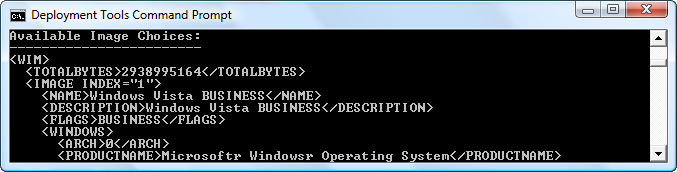
3. Execute the following command with appropriate INDEX no. to exports a copy of the specified image to another WIM file. (Vista x64 to Vista x86)
For Vista Business x64
Imagex.exe /export E:\Vistax64\Sources\install.wim 1 E:\Vista-All\Sources\install.wim “Windows Vista Business x64”For Vista Home Basic x64
Imagex.exe /export E:\Vistax64\Sources\install.wim 2 E:\Vista-All\Sources\install.wim “Windows Vista Home Basic x64”For Vista Home Premium x64
Imagex.exe /export E:\Vistax64\Sources\install.wim 3 E:\Vista-All\Sources\install.wim “Windows Vista Home Premium x64”For Vista Ultimate x64
Imagex.exe /export E:\Vistax64\Sources\install.wim 4 E:\Vista-All\Sources\install.wim “Windows Vista Ultimate x64”
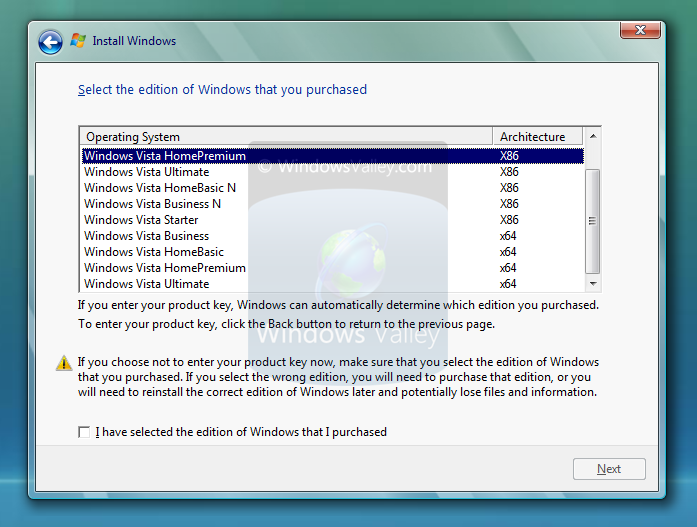
4. After execution of above commands Vista-All ‘s WIM file will be the universal WIM file that contains all version of Vista..! you can only export your desired only too…I have made a Vista DVD, which includes Vista Ultimate x86 and x64 version only…it fit to single layer DVD too.
5. Now the time to make bootable DVD image, Microsoft ships oscdimg.exe, a command line to make CD/DVD images with WAIK…here is the a single command that make Vista Bootable DVD ISO image.
Oscdimg.exe –u2 –bE:\Vista-All\Boot\etfsboot.com –lVista-All_DVD –g –t07/27/2008,05:30:00 –h E:\Vista-All E:\Vista-All.ISO
6. Now burn the ISO image in a DVD…corresponding to image file size.
Applies To:
- Windows Server 2008 R2
- Windows Server 2008
- Windows 7
- Windows Vista


Leave a Reply