
Recently Google introduced a new feature to Google search homepage that is very similar to Bing’s backgrounds feature, but additionally it lets you change it on your own. Currently the feature has been added to Google.com (US only).
You can choose an image from your Picasa Album, your computer or a Google public gallery.
How to:
1. Open http://www.google.com/ in your web browser, if your browser redirects to its localized version like google.co.in or google.co.uk then open http://www.google.com/ncr.
2. Sign in to your Google Account and Click Change background image in the bottom left corner of the Google homepage.
3. Now choose your image from Public Gallery, Editor’s picks (Google recommended images), Picasa album or you can upload your own image (JPG, GIF, or PNG files only).
4. Finally click on Select button and it may take a while to set the background to your Google homepage.
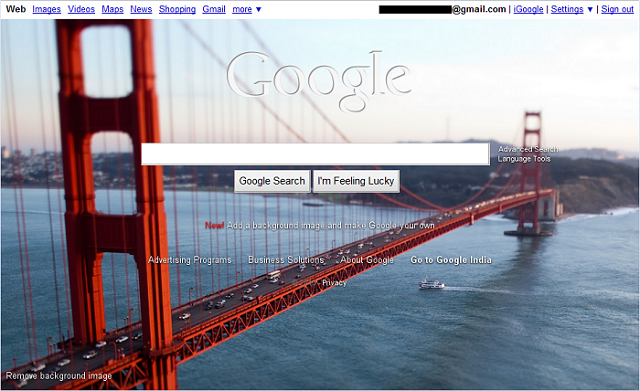
You can remove your background image by clicking Remove background image in the bottom left corner of the homepage.


Leave a Reply