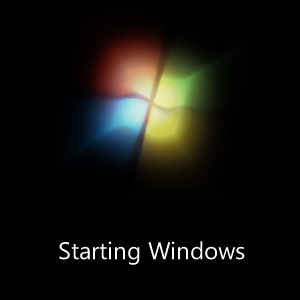
Today, my friend was asking, He lost Windows 7 animated boot screen after Startup Repair. Then he got old Vista style boot screen w/ progress bar. It happens most of time, you have to restore BCD or add Windows 7 entry in boot menu, I did it manully deletion of Windows 7 boot entry and got the same problem. After an hour, a trick has been discovered. It happens due to missing locale entry in boot entry.
How To:
1. After startup repair or restoring BCD, boot in Windows 7
2. Run CMD as Administrator and execute the following command.
bcdedit /set {current} locale en-US
Here are some valid locales
eo-US – Esperanto (United States)
de-NL – German (Netherlands)
en-NL – English (Netherlands)
gd-GB – Scottich Gaelic (UK)
Your locale will differ according to your culture of Windows 7.
3. If you have rebuilt the BCD data store from scratch, so Windows 7 boot loader might be missing MUI for your locale, to get rid of this program. You’ll need to execute the following command under Elevated Command Prompt.
bcdboot <Path of Windows directory> <A valid locale>
For example:
bcdboot C:\Windows en-US
It’ll copy critical boot files including MUI of your locale to Boot directory located at system partition, to create a new system BCD store.
Applies To:
- Windows 7 Beta
- Windows 7 RC
- Windows 7 RTM
— Updated 12/16/2009


Leave a Reply