
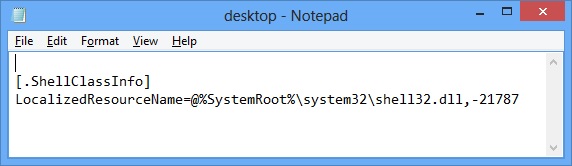
It happens very frequently after scanning and removing malware from the computer, Notepad opens one or more Desktop.ini files on startup, containing following content:
[.ShellClassInfo]
LocalizedResourceName=@%SystemRoot%\system32\shell32.dll,-21787
The above code helps to read String ID 21787 (and it is Startup) in shell32.dll file and sets localized resource name of folder.
There are lots of myth about this issue that Desktop.ini is an unwanted file, can be found at various locations in Windows, and a kind of VIRUS as well. But the truth is that Desktop.ini is a system and hidden file, used to store customize settings for the folder that contain the file. And for sure it is not VIRUS.
Origin:
In Real Time Protection mode, some Antivirus change Desktop.ini attributes and also enable Show hidden files, folders and drives while cleaning malware infection.
Solution:
- Run Command Prompt (Console) as Administrator and execute the following to jump to root of System drive.
- Now, execute the command to reset all Desktop.ini attributes.
- Restart your computer and verify that the issue is fixed.
CD\
Attrib +s +h Desktop.ini /S


Leave a Reply