Version 8 is latest iteration of Microsoft Internet Explorer, that is used the most widely across the world. IE8 is preloaded in Windows 7 and also available for Windows Vista and Windows XP.
Microsoft made lots of improvement over its last release and added features like InPrivate Browsing, Accelerator, Web Slices, Tab Isolation, Developer Tools are few of them & thats why it’s so popular. One more improvement, now there is no longer use of notepad to see HTML code of any webpage on Internet Explorer. A new window is added, that shows HTML code in highlighted color mode, when we choose to View Source from Right-click context menu on webpage.
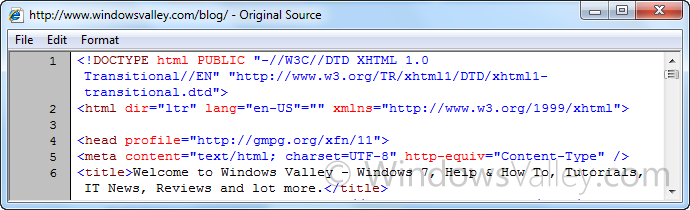
We frequently reset the IE settings to default to get rid of IE problems. Some of us, might use Registry Cleaners and Optimizers as well. It may wipe the incorrect font registry settings, which causes blurry text in improper font style on Source Window.
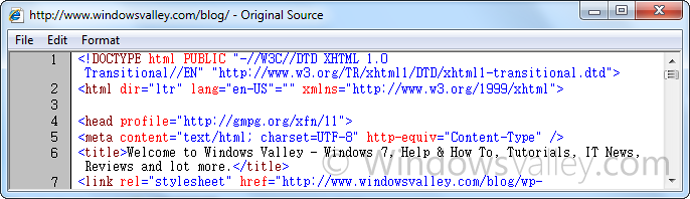
How To:
1. First of all, make sure you have closed all instances of Internet Explorer.
2. Download the zip file and extract it and double Click to patch this registry code. Thats it!
Applies To:
- Internet Explorer 8


Leave a Reply