
I was just using newly released Firefox 4 Beta and digging into its features and found a feature called Ctrl+Tab Preview. The feature is equivalent to Quick Tabs (feature of Internet Explorer 7 or later) that helps to navigate to particular tab with preview, just like Windows Alt+Tab feature. Using this feature, you can use Ctrl+Tab shortcut key to move between multiple tabs.
But additionally it provides more control over tabs than Quick Tabs, such as:
- Navigation between multiple tabs with Preview – Use Ctrl+Tab key combination to move between tabs
- Close desired tab without use of mouse in Preview mode – Press W by holding Ctrl key, to close selective tab.
- Search for tab in Preview mode – Search for tab, in term of tab’s caption.

Initially the feature is turned off in Firefox, you can enable or activate this by following these simple steps:
How To:
- Run Firefox and type about:config in address bar.
- As soon as you press enter it shows a warning message, just because you are going to change advanced settings of Firefox. Click on I’ll be careful, I promise! button to move ahead.
- Now in Filter box, type browser.ctrlTab.previews to find the feature setting and double click on it to toggle its value from False to True.
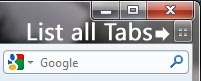
- Additionally you can change the functionality of List view tabs button to show the Preview of opened tabs, just like IE. To do so, type browser.allTabs.previews in Filter box and double click on it to toggle its value from False to True.

- Now close Firefox and re-launch to see the changes.


Leave a Reply