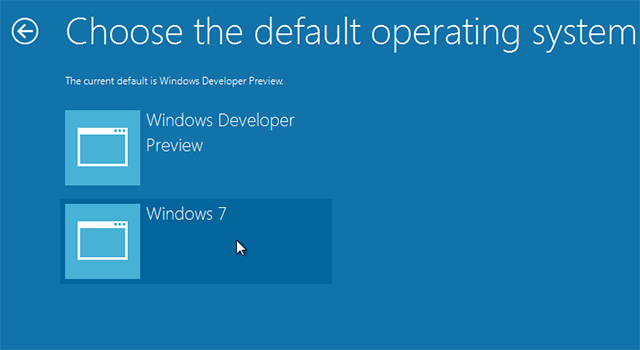
Precisely the very first thing you notice when Windows 8 starts is the new boot experience. Windows 8 comes with high-fidelity, immersive, touchable UI boot manager that gives the same experience from tablets to laptops to all-in-ones with large, high-definition screens.
I was working around Windows 8 Consumer Preview and found a new entry option bootmenupolicy in Windows 8 BCD (Boot Configuration Data) store that enables/disables old boot manager/boot menu.
Although the old boot menu still exists and is enabled by default for Windows 8 Server Beta.
How to:
- Run Command Prompt as Administrator
- Type and execute the following command to turn off new boot menu:
- Close Command Prompt and restart your PC to take effect.
Bcdedit /deletevalue {current} bootmenupolicy
Or execute it turn on new boot menu:
Bcdedit /set {current} bootmenupolicy Standard
Note: {current} is Windows boot loader’s identifier and denotes current running Windows OS in BCD store.
If your PC is running Windows 8 on multi boot system then the above trick comes in handy to prevent a subsequent restart while switching OS.
Leave a Reply