
Mozilla Corporation is toiling hard to deliver next version of its popular web browser Firefox. Beside it Firefox 4.0 new GUI is becoming the part of discussion now-a-days. The good thing is next major release UI can be replicated on Firefox 3.0 or later by using few extensions.
Firefox Add-ons play the vital role to customize and enhance web experience. To get the look and feel of v4.0, you need to download and install these add-ons-
- Strata40 – A Firefox theme that replicate the look and feel of Mockup UI
- StrataBuddy – A companion to the Strata40 theme to add features from Firefox 4.0 and 3.7 mockups to older Firefox and customize the Strata40 theme.
Once you are done, just make the following changes in StrataBuddy’s Options- Go to Tools > Add-ons > Extentions tab. Select StrataBuddy and click on corresponding Options button.
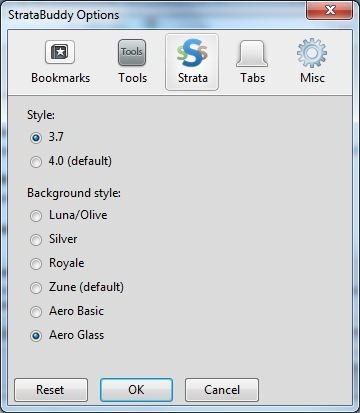 | 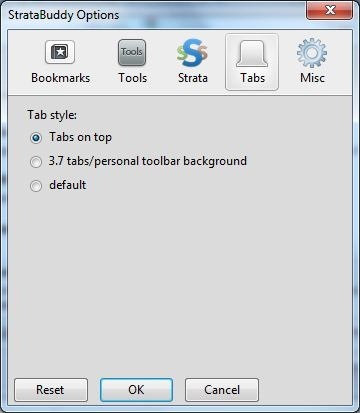 |
There are few more options as well, you can choose and customize the features of Strata40 theme. Now you’ll enjoy the Mockup UI on your older Firefox browser.
Leave a Reply